Install the Linphone softphone app from Google Play Store. You can tap here to install it.

1
Once installed, launch the app.
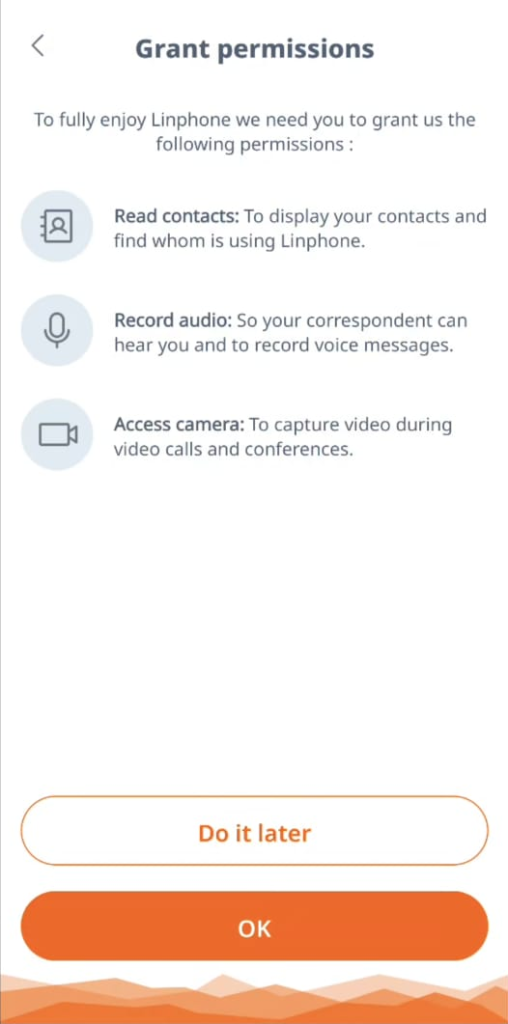
You can safely skip (at the top right section of the screen) the Welcome screen. Then proceed with granting all permissions required, by tapping OK in this screen:
2
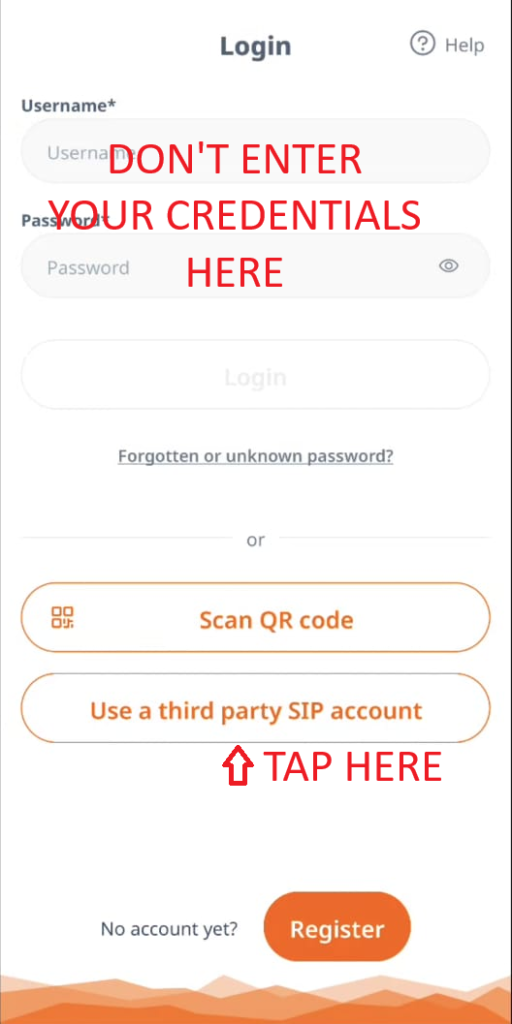
In the next screen, tap on Use a third party SIP account to start the process.
Important: Don’t enter your credentials in this screen, they won’t work.
3
Accept the general terms and privacy policy in the dialog, and then tap on I understand.
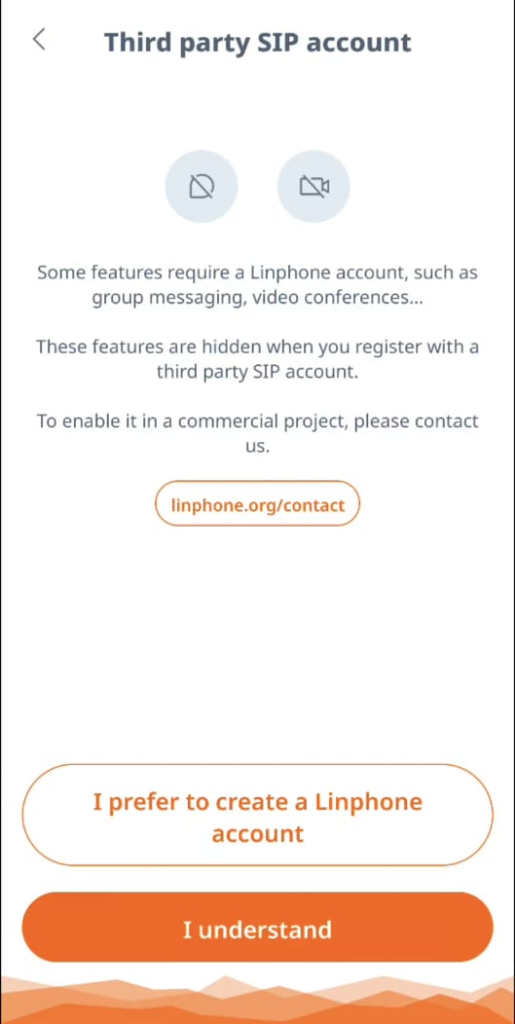
4
Fill the info received in the instructions email here. We suggest to copy / paste the information to avoid any error. Make sure to select TCP in the transport field.
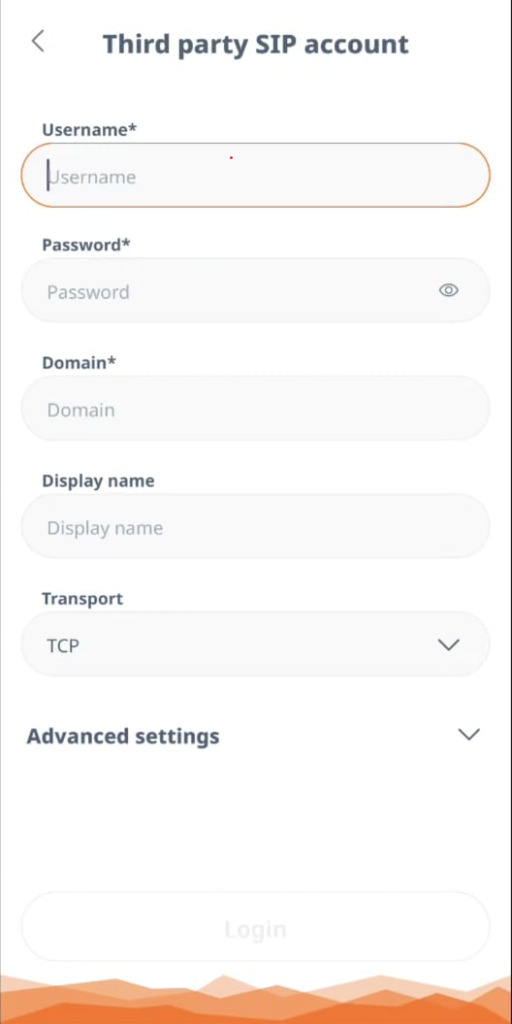
5
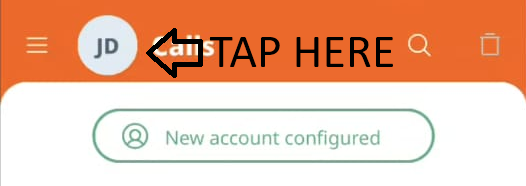
If configuration is OK, you should see a New account configured message. Tap on the circle icon at the top right to configure your call plan.
Then, tap on Settings.
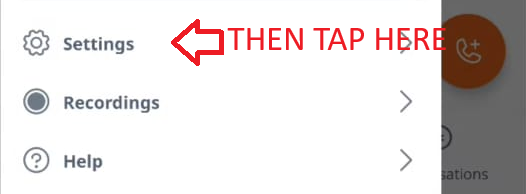
6
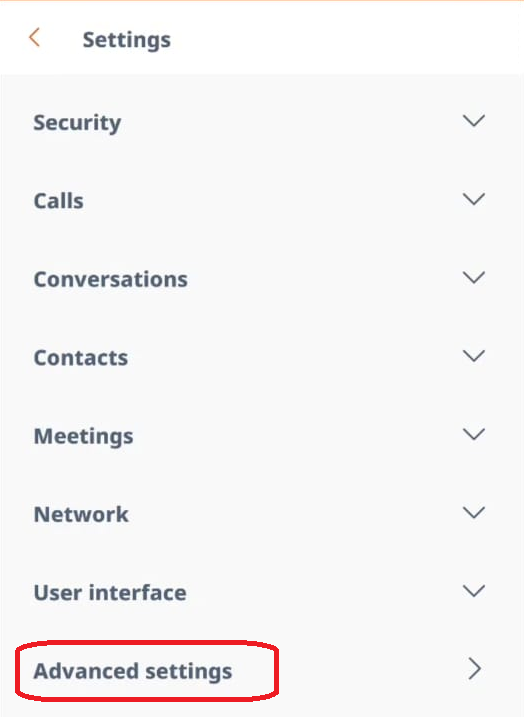
Tap on Advanced Settings.
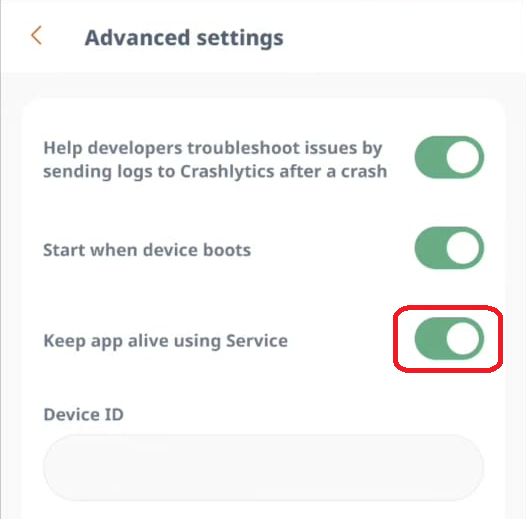
Then enable the Keep alive service toggle so you won’t miss any incoming call.
7
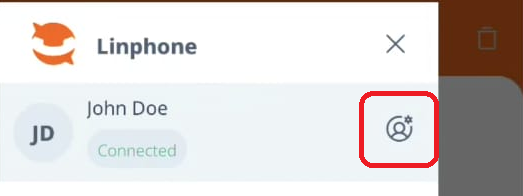
Tap on the circle icon again at the top right, and then on the User icon to configure your outgoing prefix.
Then, tap on User icon.
8
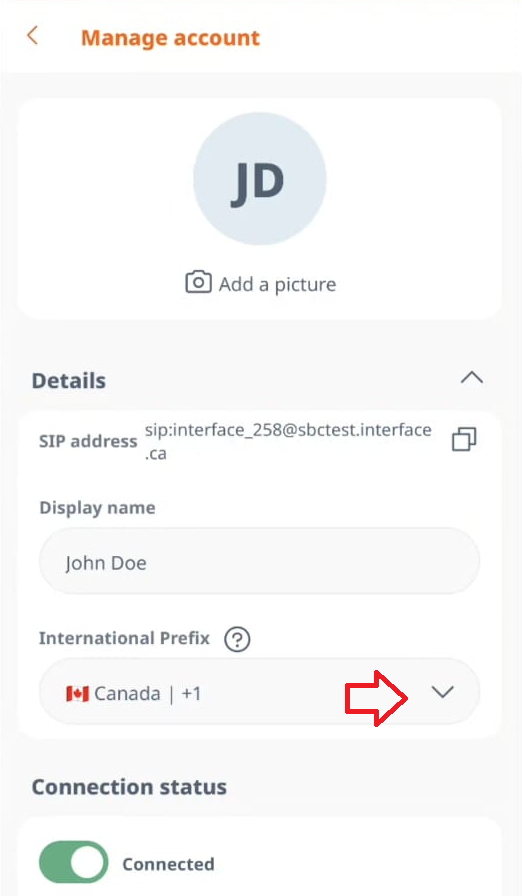
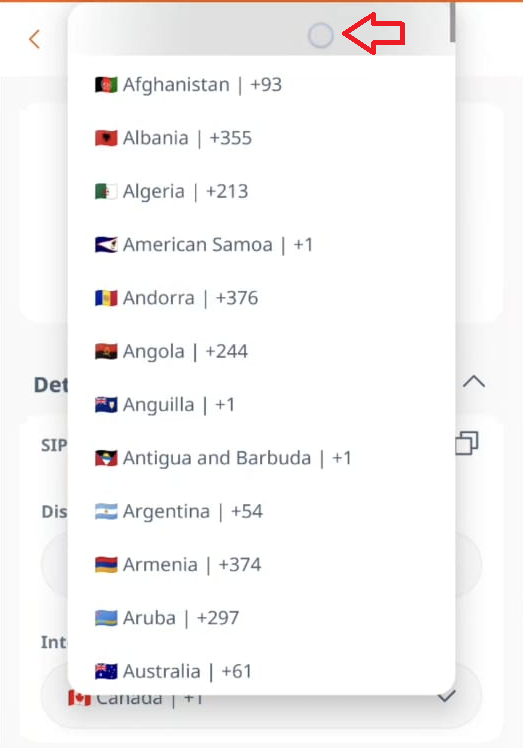
In your profile, tap on the International Prefix drop-down list, and select the very first item on the list (it’s the one with no name on it).